
Needs review
A move the camera read with low certainty. Compare it with its video frame, then Confirm or Change move. Export waits until flagged moves are confirmed, unless you choose to continue as a draft.
The ChessZCam journey · interactive
Film a real game on a real board. ChessZCam reads every move, shows you only what needs a second look, lets you put a missed move back by hand, and turns it into a checked PGN and a video with your name on it.
Updated

ChessZCam turns a video of an over-the-board chess game into a checked PGN and a shareable overlay video. It reads the moves from the camera picture, keeps the video time of every move, flags what it is not sure about instead of guessing, and gives you simple tools to confirm a move, replace it, or add a move the camera missed. Then it exports the PGN, optional Stockfish analysis, and an MP4 with the board, the player names, ratings and tournament details. It works with ordinary boards and pieces, on Windows (ChessZCam Studio) and Android, and the video never leaves your device.
The one condition: a recording that follows the recommended setup. Steady camera, whole board in view, clear light.
Five steps · try each one
A demo game with one uncertain move and one move hidden by a hand, the two things that happen most in real halls. Press the buttons as you would in the app. Everything runs inside this page.
Step 1 · Open
Open Analyze video and choose the MP4 or WebM file. ChessZCam finds the four corners of the board; you check them and press Lock. That is the only setup.
Step 2 · Detect
Play & Detect reads the game at real time, or Adaptive scans faster when you leave it running. Each move keeps its video time and frame. When a hand hides the board, ChessZCam marks a GAP instead of inventing a move.
Step 3 · Review
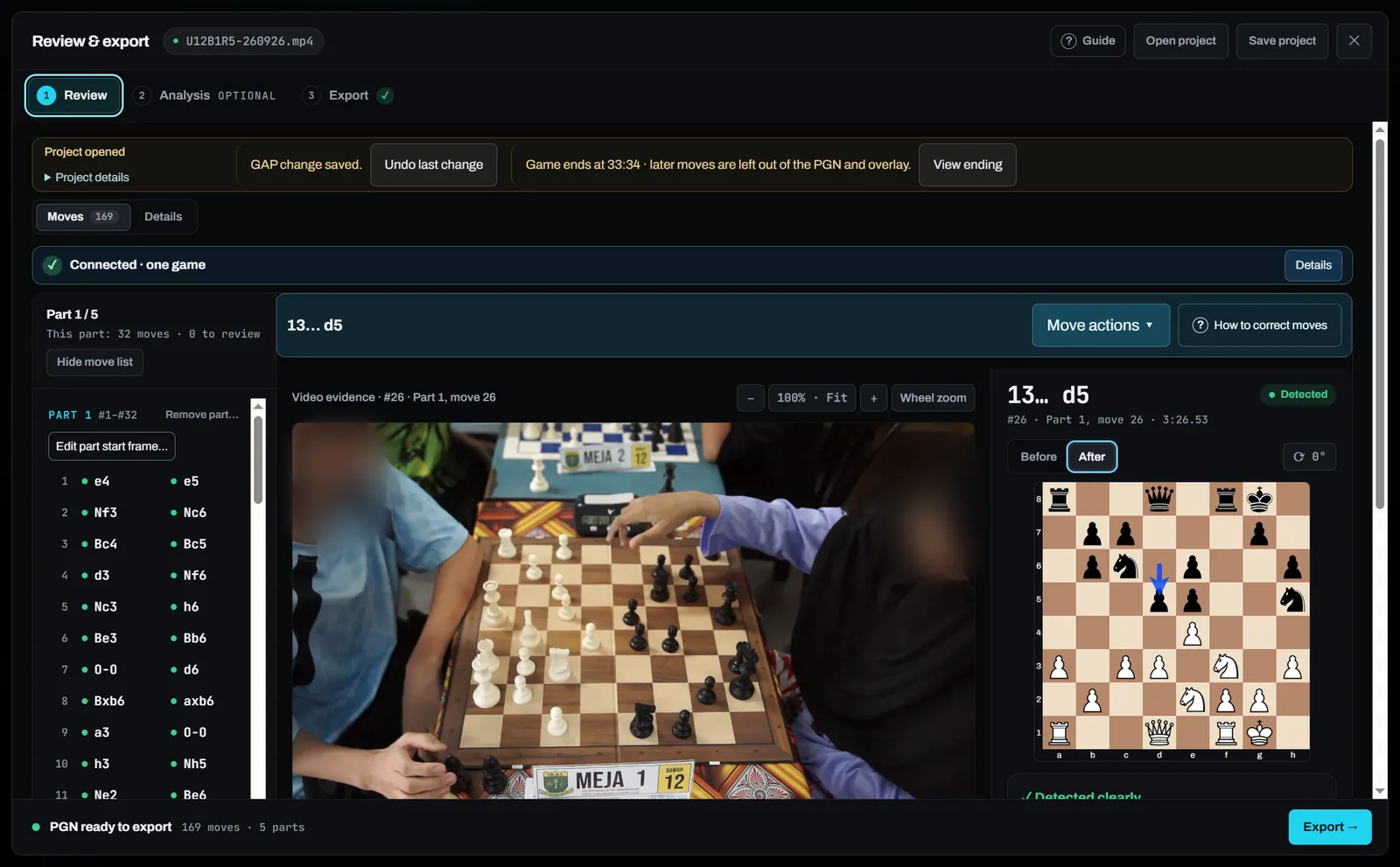
Move 8 is marked Needs review: a piece captured on d2, but a hand passed over the board. Step between the frames before and after, and choose the move you see. In the app you can also zoom into the video and use Set move to this frame.
Step 4 · Manual mode
Between 5:50 and 6:05 a hand covered the board. On the left is the last confirmed position; on the right, the next position the camera saw. Tap the black piece that moved, then its square. Only legal moves are accepted, and every earlier move stays.
Step 5 · Export
Type your own details. The preview changes as you type. Pick a style and a format, then render.

Simplified preview with a demo game and demo verdicts. The app has many more styles, pieces, panels and a full layout editor.
The PGN file is made in your browser with the names you typed. In the app, the PGN details and the on-video match details are set separately.
When detection is not enough
Any camera meets moments it cannot see: a hand over the board, a fast exchange, a bumped stand. ChessZCam's rule is simple. An uncertain move never enters the record silently. It tells you exactly where to look and gives you a short, finishable task.
A move the camera read with low certainty. Compare it with its video frame, then Confirm or Change move. Export waits until flagged moves are confirmed, unless you choose to continue as a draft.
Keep the last correct position, choose the missed move, then find the frame where it finished. Earlier moves stay; the moves after it are rescanned.
Where no legal sequence could be confirmed, ChessZCam compares the two board positions and offers up to four suggested connecting moves, or you choose a move yourself.
Replace a move or set the board from a video frame, and let detection continue from there. Delete move… removes a move that never happened.
Correct the position in the board editor, recover tracking further on, or skip an interruption such as an arbiter visit. Each part stays a legal PGN, linked to the others.
Keep an illegal move with its video time as a note for the arbiter. It is a record, not a ruling.
Every fix is a note you confirm from the video. ChessZCam is for recording, review and content; anything at the board is the arbiter's decision. Read more in Staying in control of the board.
What stays in the video
A plain phone video shows hands and pieces. A ChessZCam video tells the viewer who played, where, and what each move meant, and it stays that way for years.
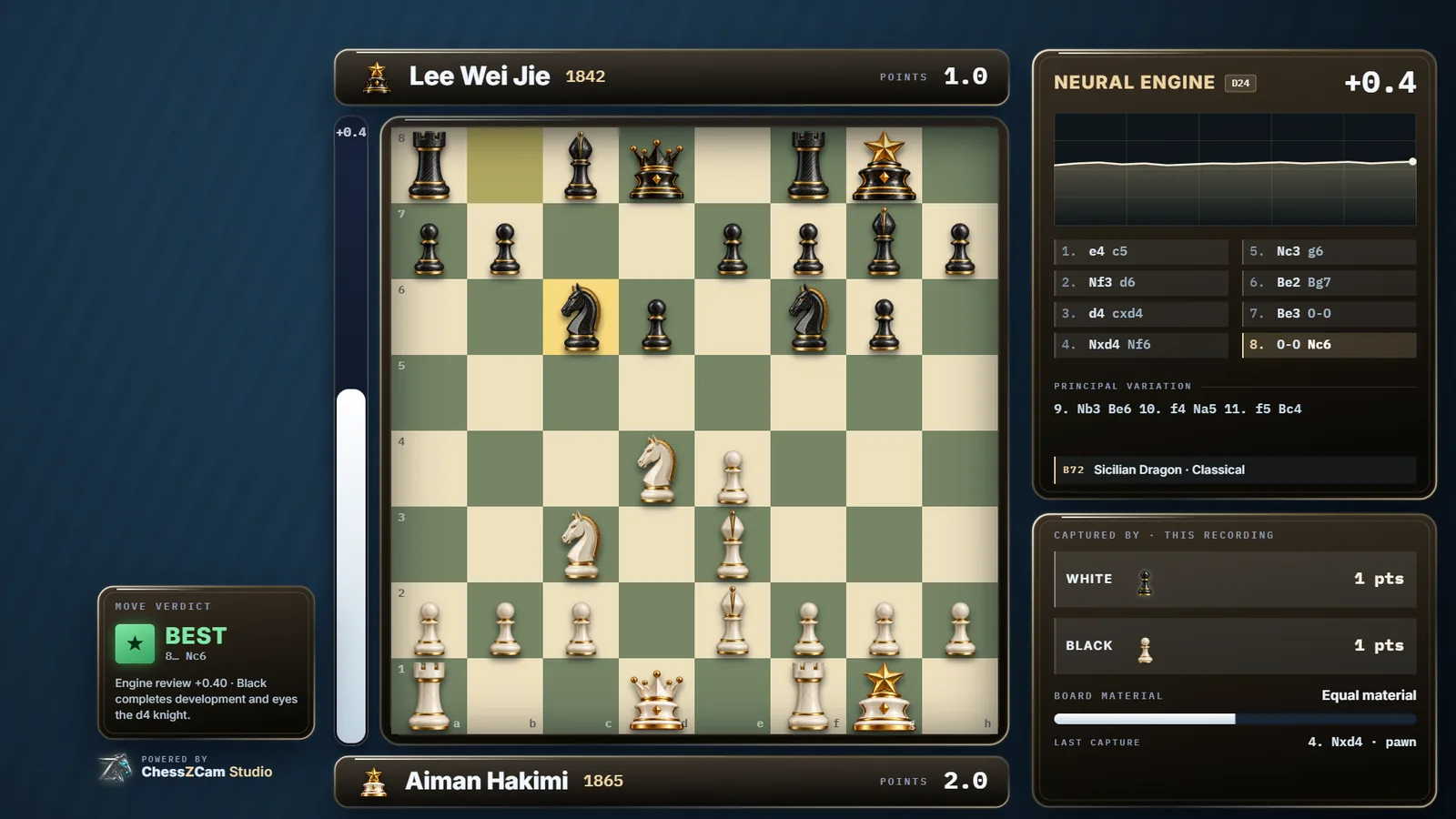
Both players' full names and Elo in the player bars, plus match points such as 1.5 or 2½.
Tournament, round, board number and category in the logo plate and on the result card.
A clean digital board that follows every move, with the last move marked and captured pieces counted.
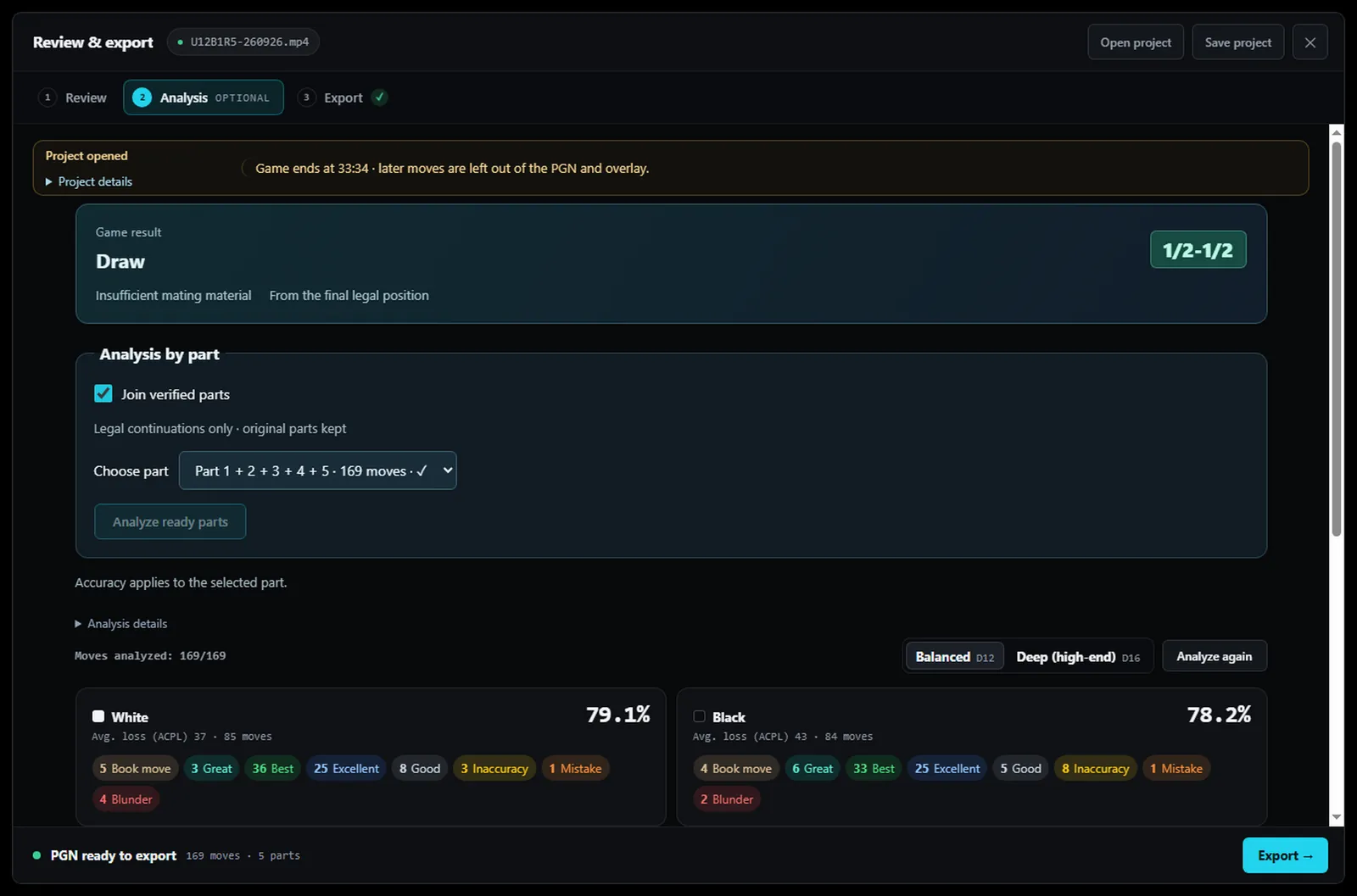
Move verdicts from Book move to Blunder, an evaluation bar, opening name and accuracy for each player.
Move notes and a move summary for the moments you want viewers to notice.
A result card with the final score when the game ends.
1920×1080 for YouTube, 1080×1920 for Shorts, Reels and TikTok. 4K, transparent WebM and PNG sequence in Studio.
Ready-made styles, drag-and-resize panels and Auto arrange, which keeps the board and players clear of panels.
Match details are shown in the video only and are never written into the PGN. On Android, MP4 renders up to 1080p.
The real app
Captured from ChessZCam Studio with the bundled demo clip and a real tournament game. Players are blurred and overlay names are invented. Click a picture to enlarge it.


Words you will see in the app
FAQ
ChessZCam reads the moves of an over-the-board game from a video of the board, keeps the video time of every move, flags anything uncertain for you to check, and exports a PGN and an overlay video that follows every move. Detection, review and Stockfish run on your own device.
ChessZCam does not guess. The stretch is marked as a GAP or the move is flagged for review. You can pick one of up to four suggested connecting moves, or add the missed move yourself by tapping the piece and its square. Only legal moves are accepted, and earlier moves are kept.
Yes. The overlay shows both player names and ratings, match points, and match details such as the tournament, round, board number and category, plus a result card at the end. Match details appear in the video only and are never written into the PGN.
The main path has three steps: open the video, review what is flagged, export. A guided Analyze video tour with a demo clip is in the app's settings, so you can practise before using your own recording. The app is in English, Bahasa Melayu and Chinese.
A steady recording that shows the whole board, from a camera looking down at 45 to 90 degrees, with even light. Start before move 1 and analyse the original file. The recording guide shows the recommended setup.
No. ChessZCam is for recording, review and content. Anything at the board is the arbiter's decision.
Your games deserve more than a memory
ChessZCam is in public beta with a free 14-day trial on Windows and Android. No code, no payment details. Read the recording guide first, then bring a game.